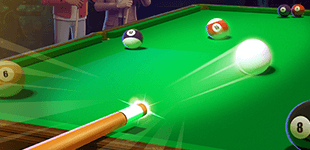
About Table Tennis Shots
Table Tennis Shots is a free-to-play HTML5 sports game built for instant browser play—no downloads, no installs, and no sign-ups required.
Table Tennis Shots shines with responsive physics, skill-based aim timing, and instant match energy. It adapts smoothly to both mouse-and-keyboard setups and mobile touchscreens.
- Platform
- HTML5 (Web, Mobile, Chromebook)
- Difficulty & Pace
- Easy to Learn · 2–6 min
- Best For
- Sports fans & competitive score chasers
How to Play Table Tennis Shots
- 1Line up your angle, wind, or timing indicator before committing to the shot.
- 2Set clean power—strong enough to reach the target without losing accuracy.
- 3Score consecutive streaks to activate combo multipliers and outpace your opponent.
- 4Adapt to moving keepers, obstacles, or shifting field conditions as rounds advance.
Desktop / PC Controls
Aim and adjust shot power with your mouse click-and-drag (or Arrow keys where shown).
Mobile & Tablet Controls
Swipe or tap-and-release directly on the playfield to shoot or swing.
Pro Tips & Winning Strategies
- Master consistent medium-power shots before attempting risky max-power trick shots.
- Watch the defender or target cycle once to learn its exact tempo.
- Prioritize clean streaks over rushed hits—accuracy multiplies your match score fast.