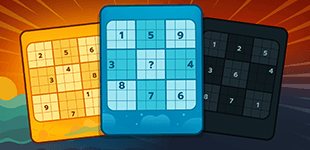
About Sudoku Classic
Sudoku Classic brings the world's favorite 9×9 number placement puzzle straight to your browser. Fill every row, column, and 3×3 sub-grid with the digits 1 through 9 without repeating a single number inside any group.
No math equations are required—only pure logical elimination and pattern recognition. Whether you are warming up your brain over morning coffee or sharpening scanning speed on a lunch break, Sudoku Classic runs cleanly on both desktop and mobile screens.
- Platform
- HTML5 (Web, Mobile, Chromebook)
- Difficulty & Pace
- Medium · 5–15 min
- Best For
- Daily brain training & logic fans
How to Play Sudoku Classic
- 1Inspect the partially filled 9×9 grid and pick an empty cell to solve.
- 2Select a digit from 1 to 9 that does not yet appear in the same row, column, or 3×3 box.
- 3Use cross-hatching (scanning intersecting rows and columns) to pinpoint cells with only one legal digit.
- 4Complete all 81 squares accurately to finish the puzzle.
Desktop / PC Controls
Click any empty cell and pick a number via mouse or keyboard keys 1–9.
Mobile & Tablet Controls
Tap an empty cell, then tap the digit you want to place from the number pad.
Pro Tips & Winning Strategies
- Start by scanning digits 1 through 9 in order to spot 'hidden singles' inside 3×3 boxes.
- Focus on rows, columns, or boxes that already contain 6 or more given numbers first.
- Never guess—every valid Sudoku grid can be resolved purely through elimination.